A simple way to plan your day and stay focused.
Deep Focus is a daily planning and focus app that brings your tasks, focus sessions, and weekly priorities together. Built for employees, business owners, and anyone who wants a more organized, focused day—wherever you work.
$19 one-time. No subscription.

Take a look around
Weekly planning
Monday through Friday each have a start and an end. Saturday and Sunday are optional. Note any tasks you already know. You can change all of this later.
Sample 1 of 3
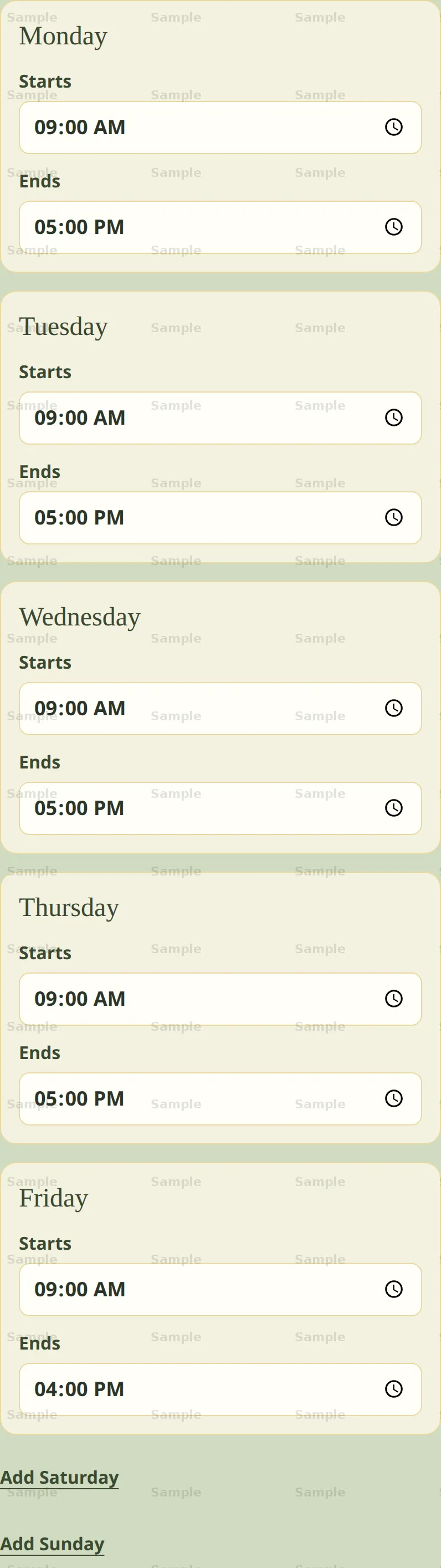
Monday through Friday each have a start and an end. Saturday and Sunday stay off until you add them. Sample times, not a customer.
Daily plan
The first block starts at the hours you set for that day. Choose an end time, then enter what you will work on.
Sample 1 of 3
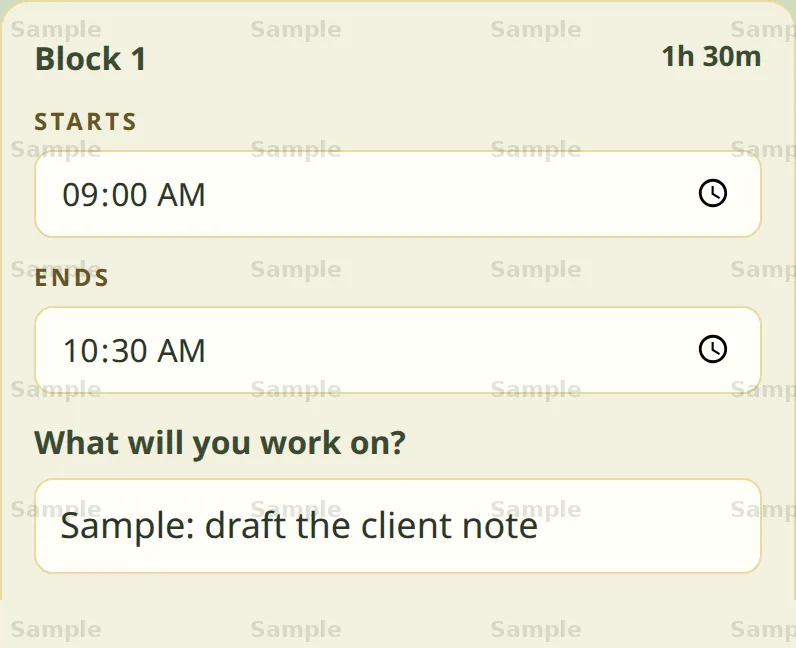
Your first block starts at the beginning of your workday, using the hours you set in your weekly plan. Choose an end time, then enter the task you want to work on during that time.
Progress
Check in with an energy score and a focus score. After three check-ins, the page names the time-of-day label with the highest average. At the end of the month, you write what to keep and what to drop.
Sample 1 of 3
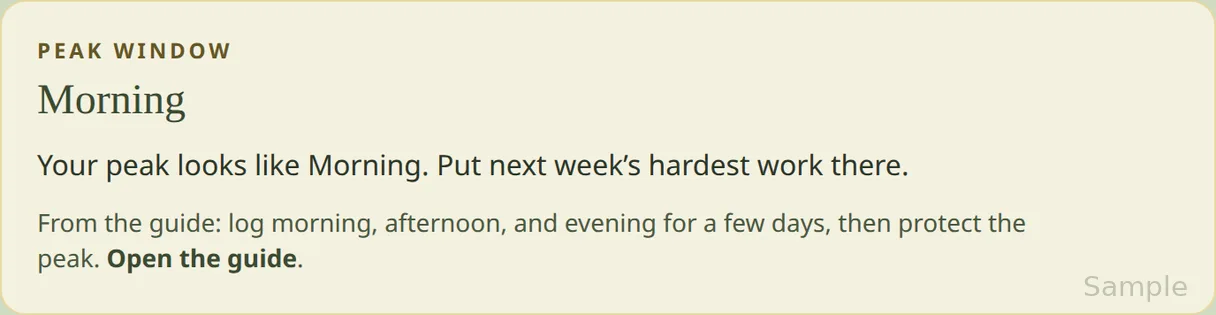
After at least three check-ins, this names the time-of-day label with the highest average of the energy score and the focus score. This sample names Morning.
Instruction guide
The current instructions are the guide in the app. Print or save that guide from the guide page. These cards are a short sample of that setup.
Sample 1 of 3
Instruction-guide draft preview
1. Set your hours
Open Set up your week. Give Monday through Friday a start and an end. Saturday and Sunday are optional. The first block of a day starts at that day’s hours.
The guide explains the week, the day, and the workspace. You can plan without it.
Included with the app
Included with the app: print the door sign and the fridge notice from the household page. The pictures show that layout and are marked Sample. The printed pages use the hours you save and do not say Sample. The emailed notice leaves the hours and the signal blank.
Sample 1 of 2
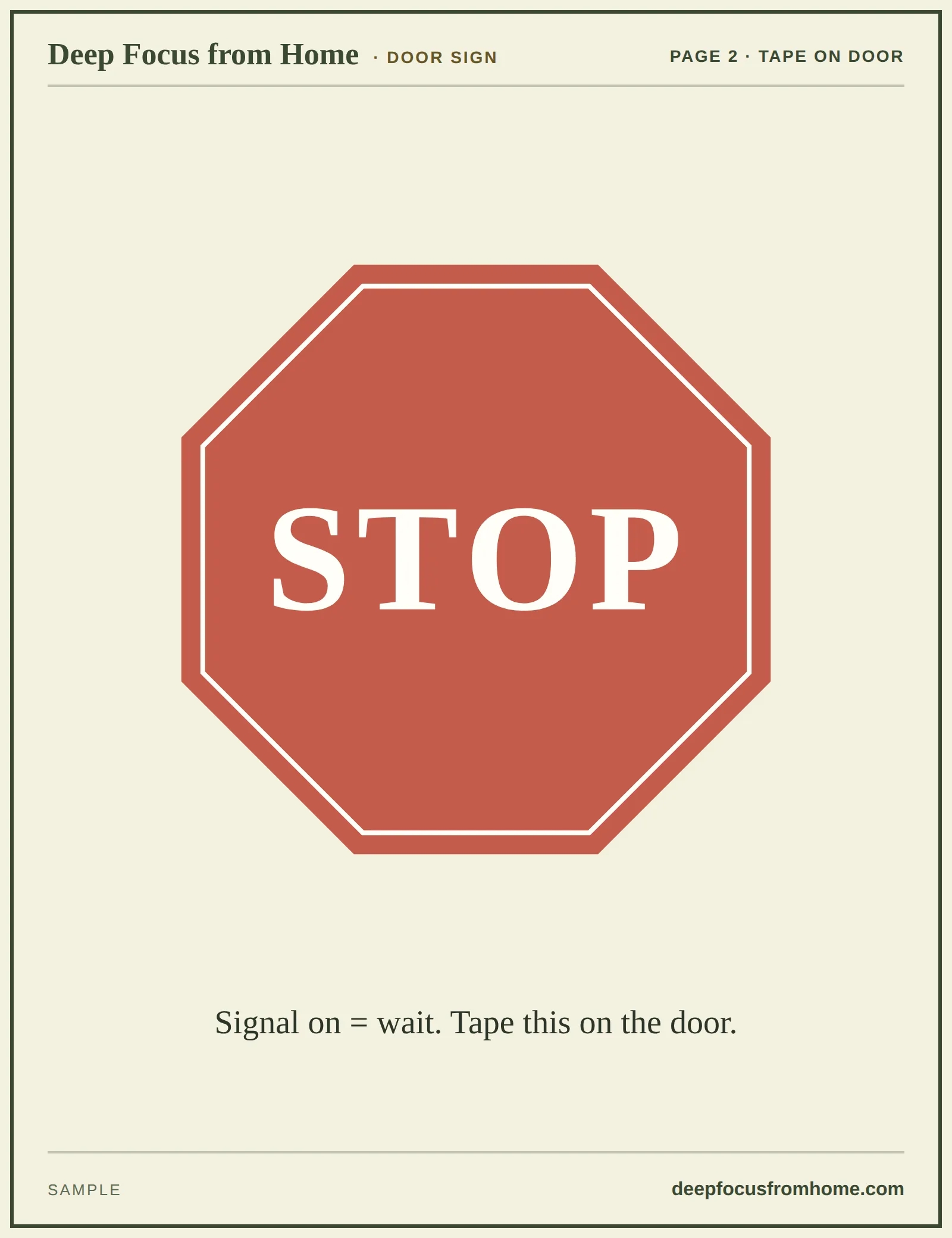
STOP sits in the center of a red octagon, with a cream inner ring. The line under it is Signal on = wait. Tape this on the door. Deep Focus from Home is the bold top line, and deepfocusfromhome.com is the bold line at the bottom right. The picture is marked Sample. The app prints this sign without the Sample mark. The emailed notices file is this same sign.
Questions
What is Deep Focus?
Deep Focus helps you bring more structure to your day and make room for focused work. It brings together weekly planning, daily time blocks, and guidance for setting up a workspace with fewer distractions. You choose what to work on, make space for breaks, and use check-ins to notice patterns in your energy and focus. The aim is a manageable routine you can adjust as your day changes.
Who is it for?
Deep Focus is for anyone who wants a clearer plan and fewer distractions—whether you’re working, studying, running a business, or organizing everyday life. It can also suit retirees and older adults who want more structure in their day and an easier way to keep track of what they want to do. You don’t need a packed schedule or a particular job—just a routine you’d like to make more manageable.
Where do my plans stay?
The Deep Focus app saves your plans and week setups in the browser you use. They stay in that phone or computer browser and do not carry over to another browser or device.
What is included?
The app includes weekly planning, daily time blocks, energy and focus check-ins, and the instruction guide. The door sign and fridge notice are included. Pictures on this page are samples. A typed day or week stays in this browser.
How much does it cost?
The app is $19, paid once. There is no subscription. The button at the top opens checkout.
Can I buy it on this page?
Yes. Select Get the app at the top of this page. Checkout is $19, one-time.
Where are the purchase terms?
Terms of Service and Store Credit Policy are linked at the bottom of this page. Checkout also asks you to agree before you pay.